Net Provider
Internet Subscription Software for ISPs
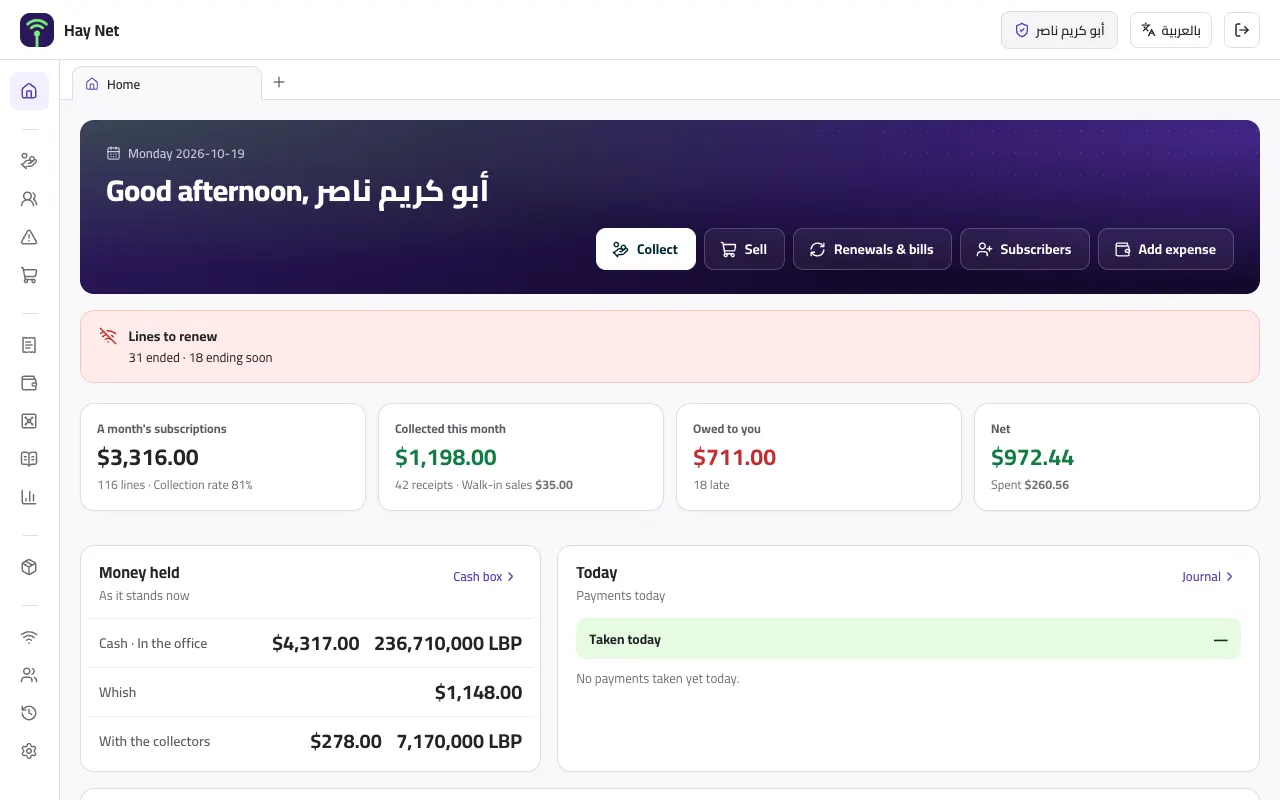
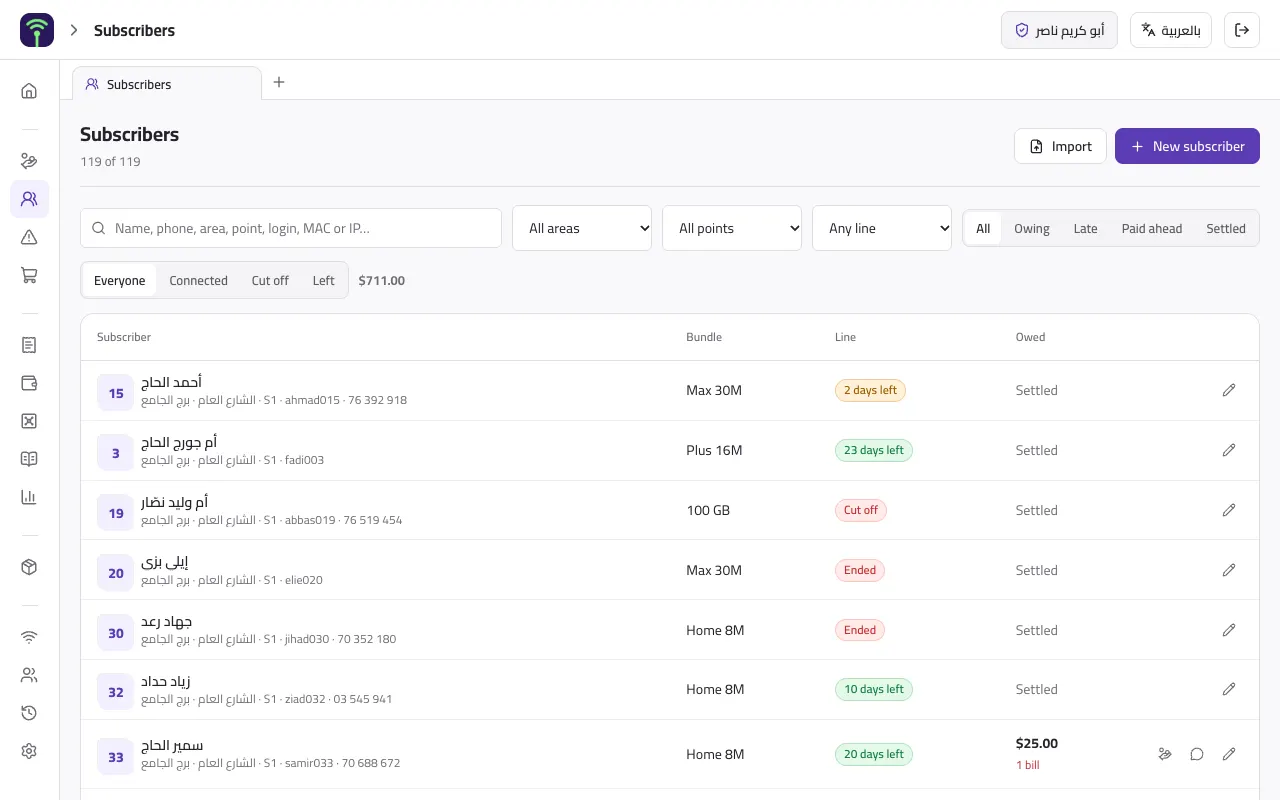
Subscribers on lines and bundles with their speed, allowance and price, each line renewed on its own date or everyone billed by the month, collection in dollars and lira by cash, Whish or OMT, routers, antennas and cable sold and equipment lent by serial, and stock — and the MikroTik cuts an ended line and brings it back by itself.
- Who it's for
- Internet distributors and neighbourhood or village networks, and their collectors and technicians
- How it runs
- Online in the browser on a PC or a phone, and installable on a phone as an app
- Languages
- Arabic and English
- Currencies
- Dollars and lira together
What's inside the Net Provider system
17 sections on one database: what you record on one screen shows across the rest at once.
Why the Net Provider system
What actually makes the difference in this trade, not a generic feature list.
On its own date, or by the month
Each line renews a month from its own day, and one renewed after it ran out starts again from that day, not the day it ended. Or everyone is billed by the calendar month, and a line joining mid-month pays for its days, rounded to the nearest note. Renew 1 to 12 months at once, or every line due in one go.
The router cuts and reconnects by itself
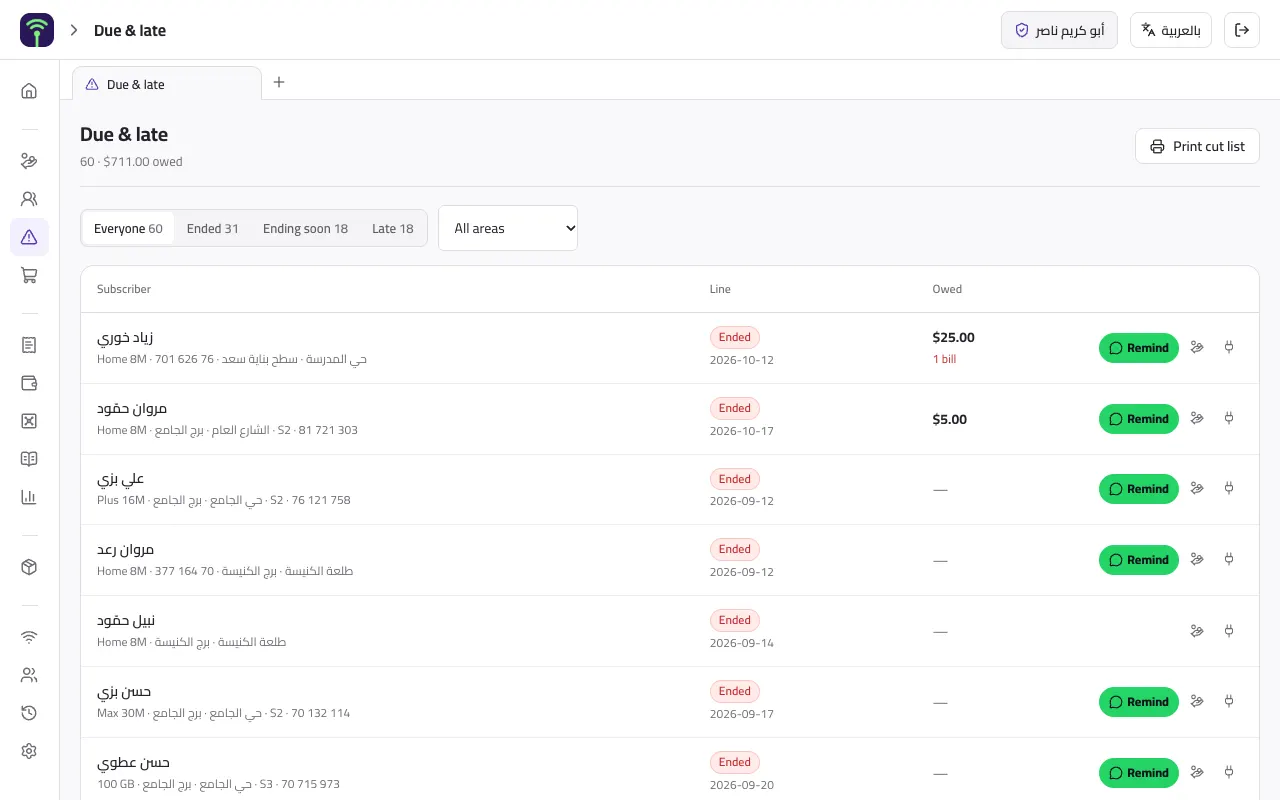
Paste one script into the MikroTik's terminal and it checks in every 5 minutes, switching off the PPPoE account of any line that ended or fell behind on payment once the grace days pass, from 10 AM by default. A renewal or a payment switches it back on at the next check, and every other account on the router is left alone.
Both currencies, and renewal at the door
Subscribers pay in dollars, lira or both at once, by cash, Whish, OMT or bank transfer, at a rate you set, and the change you hand back is recorded. An ended line is renewed and paid for in the same step, and the receipt shows the date the line now runs to.
Equipment by serial number
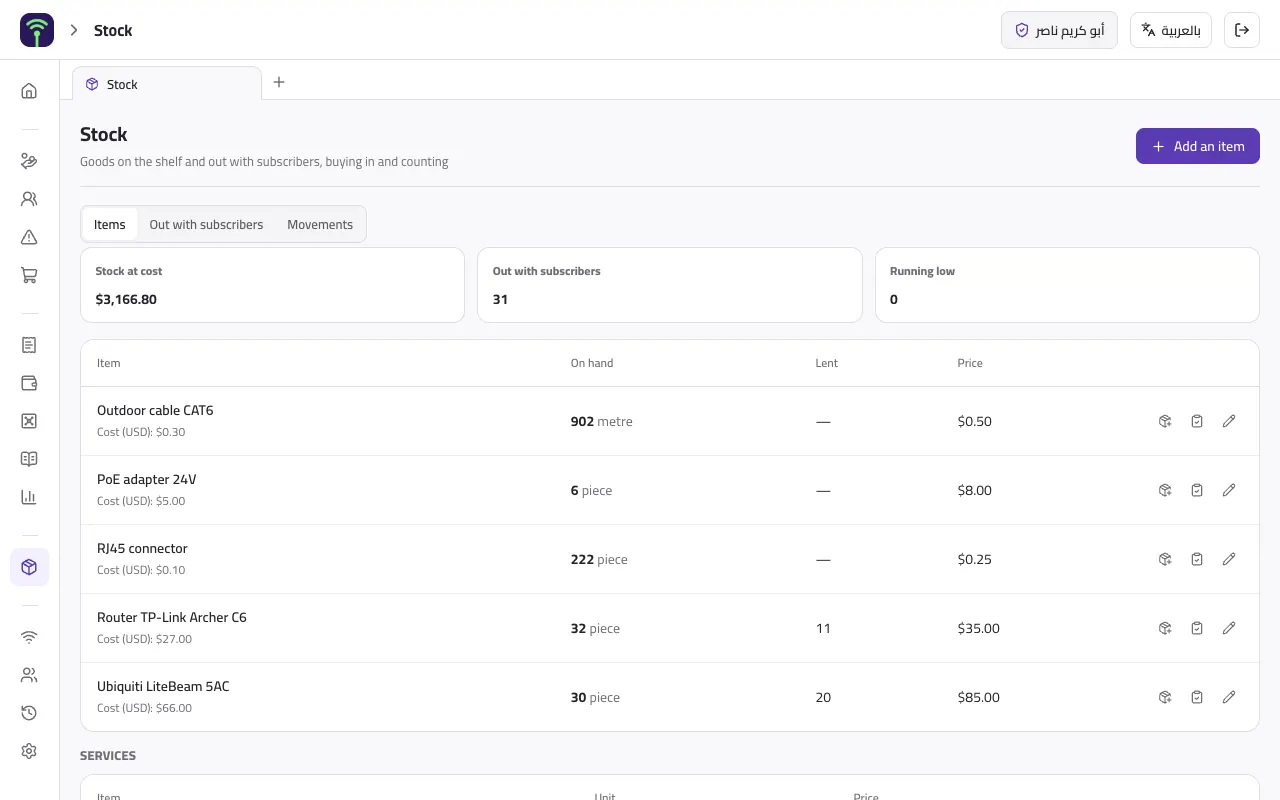
Sell a router, an antenna, cable by the metre or an installation, on the subscriber's account or to a walk-in who pays on the spot, and lend equipment by serial or MAC. Stock follows every purchase, sale, loan, return and count, and anyone who left still holding the office's equipment is listed first.
A page for every subscriber
A QR on every bill and a link in every WhatsApp message open the subscriber's page: a ring of the days left on their line, what they owe item by item, their payments, the equipment they hold, your notice and how to pay.
What each collector holds, and the month's net
Cash a collector takes stays on them until they hand it to the office. Reports give you what was billed and collected and the collection rate, sales with their margin, spending on bandwidth, power, rent and wages, and the net — and by collector, area and bundle.
Inside the Net Provider system
Real screens from the version our clients run today.
Questions about the Net Provider system
Does it cut lines on the MikroTik by itself?
Yes, on MikroTik with PPPoE lines. Paste one script into the router's terminal and it checks in every 5 minutes, switching off every line that ended or is behind on payment once the grace days you set pass, and back on when it is renewed or paid. The router calls the system, so it works behind any NAT with no VPN. PPPoE accounts are still created on the router as usual; the system only switches them on and off.
Can collectors work from a phone?
Yes. The system opens in the phone's browser and installs as an app: collectors find a subscriber by name, phone or login, renew the line, take the payment and send the receipt on WhatsApp, and sell or lend a router at the door. Each has their own login and rights, and the cash they take stays on them until they hand it to the office.
My subscribers are in Excel or another program. Can they come over?
Yes. They import from an Excel or CSV file, from our template in Arabic or English or another program's export, its columns matched by their headings: name, phone, bundle, login, password, MAC, IP, paid-until date and opening balance. Every row is checked before anything is saved, so a file with a mistake never half-loads.
Try it before you decide
Tell us about your business and we send you a private demo link on WhatsApp, with sample data, to open on a PC or a phone.