Janbein Mobile
Phone & Telecom Shop Software
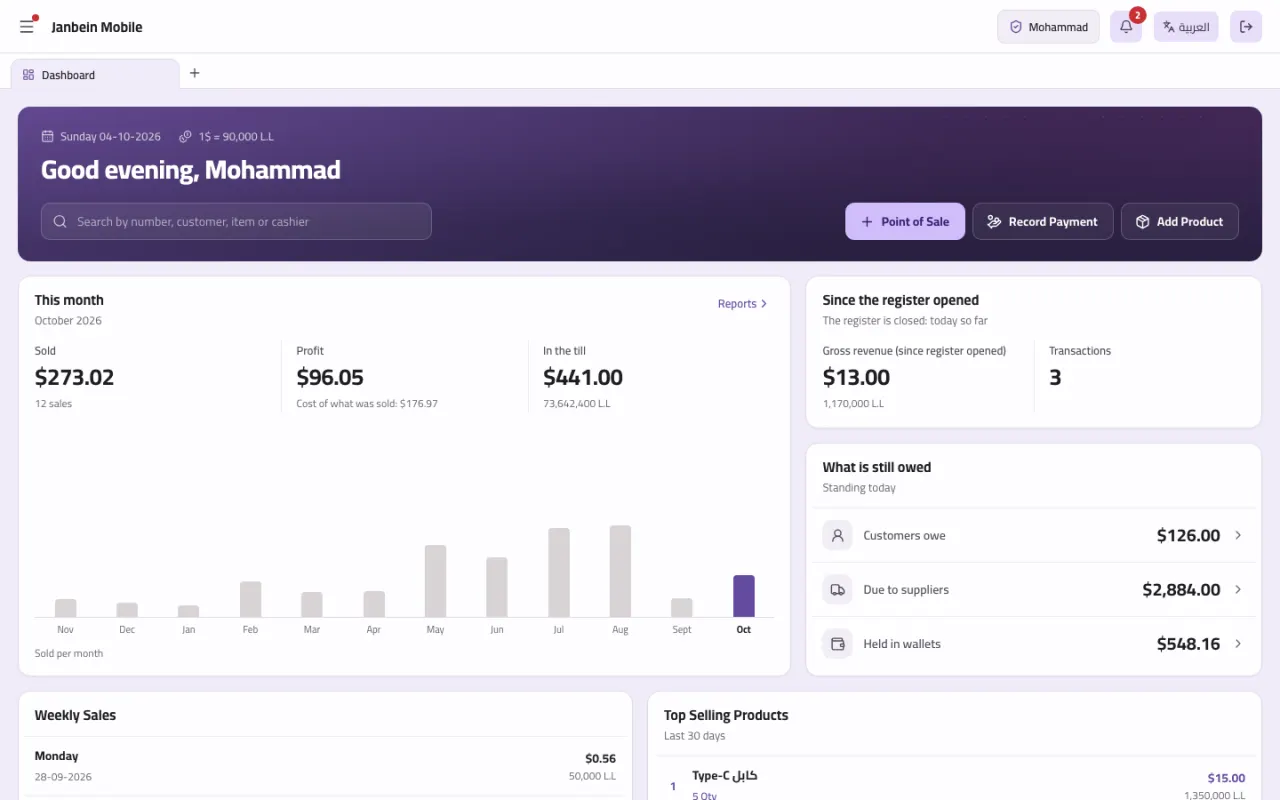
Till and stock, phones by IMEI, Alfa and MTC cards and Ogero bills, returned dollars, instalments and repairs, and multiple branches — in dollars and lira, online or on a PC with no internet.
- Who it's for
- Phone and accessory shops, telecom and recharge outlets, phone repair benches
- How it runs
- Online in any browser with multiple branches, or a Windows program that runs with no internet
- Languages
- Arabic and English
- Currencies
- Dollars and lira together
What's inside Janbein Mobile
27 sections on one database: what you record on one screen shows across the rest at once.
Why Janbein Mobile
What actually makes the difference in this trade, not a generic feature list.
A complete record behind every phone
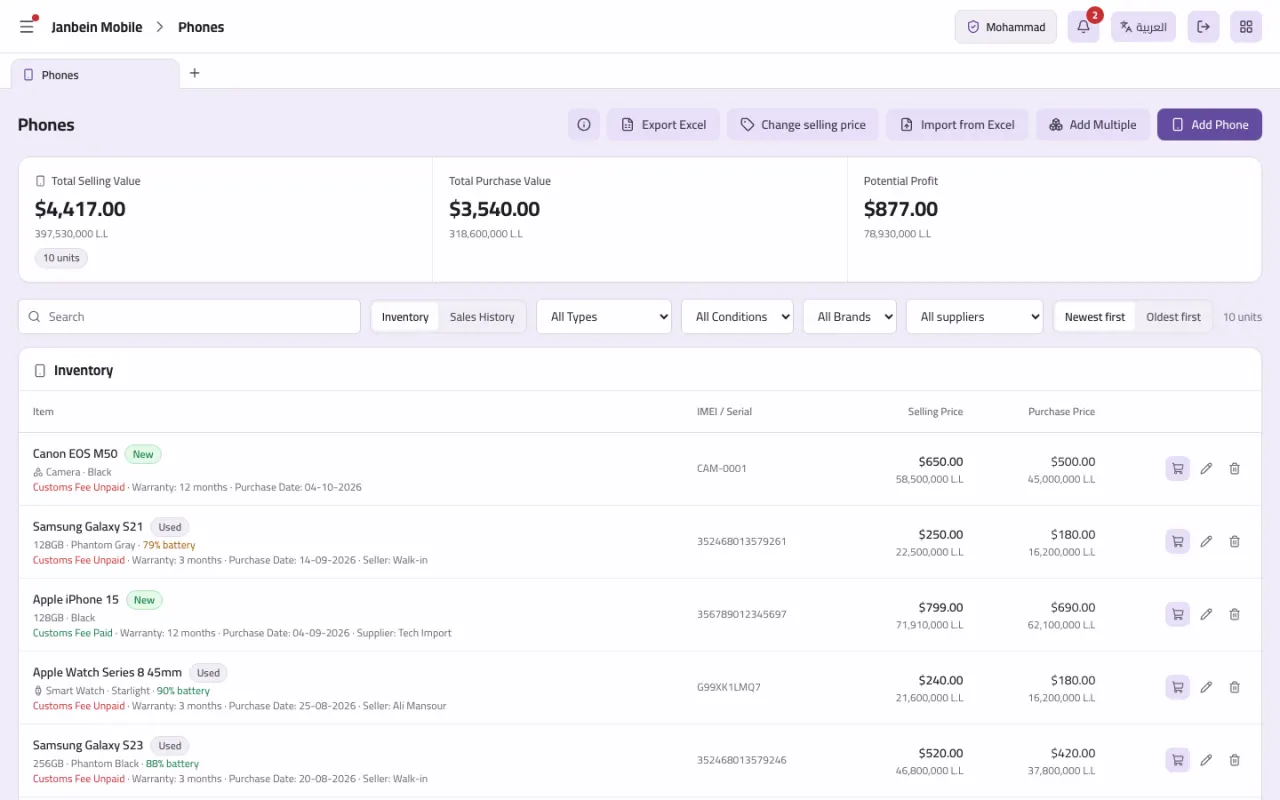
IMEI, specs, condition (new or used), battery health, warranty and customs fees, who it came from and who it went to, and cost and sale price — from the moment it enters the shop until it leaves, trade-ins included.
All of telecom on one screen
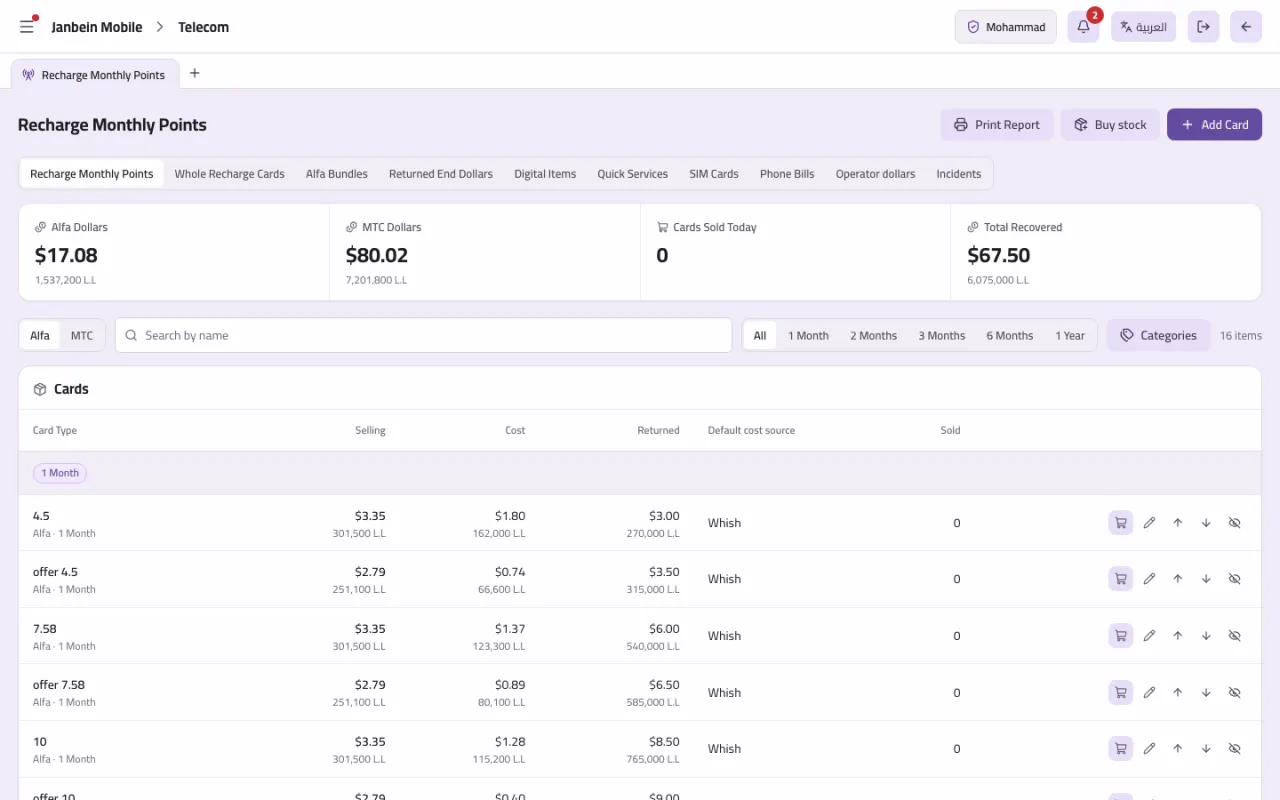
Alfa and MTC recharge cards by denomination, full recharges, Alfa bundles, digital items, quick services, SIM lines, and Alfa, MTC and Ogero bills — each with its own profit and daily report.
Instalments without the notebook
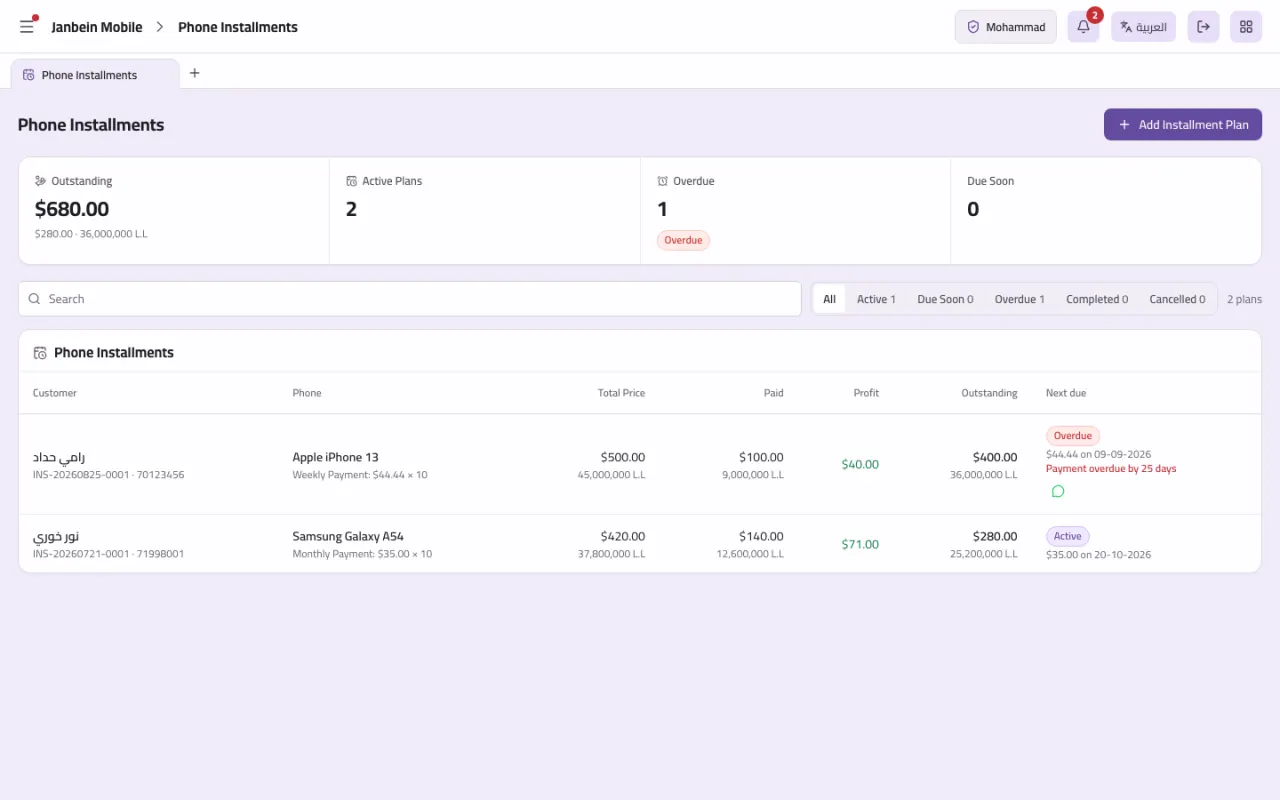
Set up an instalment plan on a phone and the system builds the schedule, records each payment, prints the receipt and sends a WhatsApp due-date reminder — so you always know who is late and how much is left.
Returned dollars, calculated
The Alfa and MTC returned-dollars pool, with profit worked out on every transaction — one of the easiest things to lose track of by hand in a telecom shop.
The repair bench, inside the system
Take in a device, deduct the parts from stock, add the labour fee, and hand it back with full or partial payment posted straight to the customer's account.
Branches on one set of books
Each branch has its own drawer, wallets, stock, staff and invoice numbers. Customers and their debts are shared, so they pay at any branch; stock moves between branches; the owner switches between them while a cashier sees only their own.
Two editions, the same screens
The difference is where the database lives and how you reach it, not what the system does.
PC edition — offline
Installed on Windows, with the database on the shop's machine. It works with no internet at all, updates itself, and backs up to Google Drive whenever a connection is available.
Online edition — with branches
A private link for your shop that opens in any browser on any device, with its own isolated database, a server that saves every transaction as it happens, and multiple branches under one account.
Inside Janbein Mobile
Real screens from the version our clients run today.
Questions about Janbein Mobile
Does Janbein Mobile work without internet?
The PC edition does: the database is on the shop's machine, so you sell and print with the internet down, and backups go to Google Drive when the line returns. The online edition needs internet, opens on any device, and supports multiple branches.
Does it handle Alfa and MTC cards and Ogero bills?
Yes. Alfa and MTC cards and bundles by denomination and cost, full recharges, SIM lines, Alfa, MTC and Ogero bills, and the returned-dollars pool — each with its own profit and daily report.
Does it support more than one branch?
Yes, in the online edition. Each branch has its own drawer, wallets, stock, staff and invoice numbers, and stock moves between branches. Customers and debts are shared; the owner sees every branch while a cashier sees only their own.
I used your previous version. Does my data come with me?
Yes. The system imports the shop's full history from the previous version: products, phones, customers and their debts, and sales, so you carry on where you left off.
Try it before you decide
Tell us about your business and we send you a private demo link on WhatsApp, with sample data, to open on a PC or a phone.